
Post Menu and Details.
- What the Three Messenger Status Icons Actually Mean
- Stuck on "Sent"? Here's What's Actually Happening
- Delivered but Not Seen — What This Means
- Seen but No Reply — Is This Technical?
- Am I Blocked? How to Tell the Difference
- Messenger App vs Facebook.com — Any Difference?
- Quick Reference: Scenarios and What They Mean
- Can You Turn Off Read Receipts?
- Frequently Asked Questions
Words: 2788
Reading time: ~11 minutes
Updated June 2026
You sent a message. The little circle next to it says Delivered. An hour passes. Still no reply, and the icon hasn’t changed to their profile photo. Your brain starts asking questions you don’t want to ask.
Here’s the short answer before anything else: “Sent” means Facebook’s servers received your message. “Delivered” means it reached the recipient’s device. “Seen” (their profile photo) means they opened the conversation. If your message has been stuck on “Sent” for hours, the most likely reason is not that you’re blocked — it’s no internet on their end, Do Not Disturb mode, or disabled Messenger notifications. Blocked looks different, and we’ll get to that.
I’ve used Messenger for years across both mobile and desktop. I’ve also helped a few family members work through the “are they ignoring me or did something break?” spiral. Here’s what each status actually means in 2026, tested on the current app.
This post pairs with our full breakdown of why Facebook messages say Sent but not Delivered — if that’s your specific situation, start there. Here we’re covering the full status spectrum.
What the Three Messenger Status Icons Actually Mean
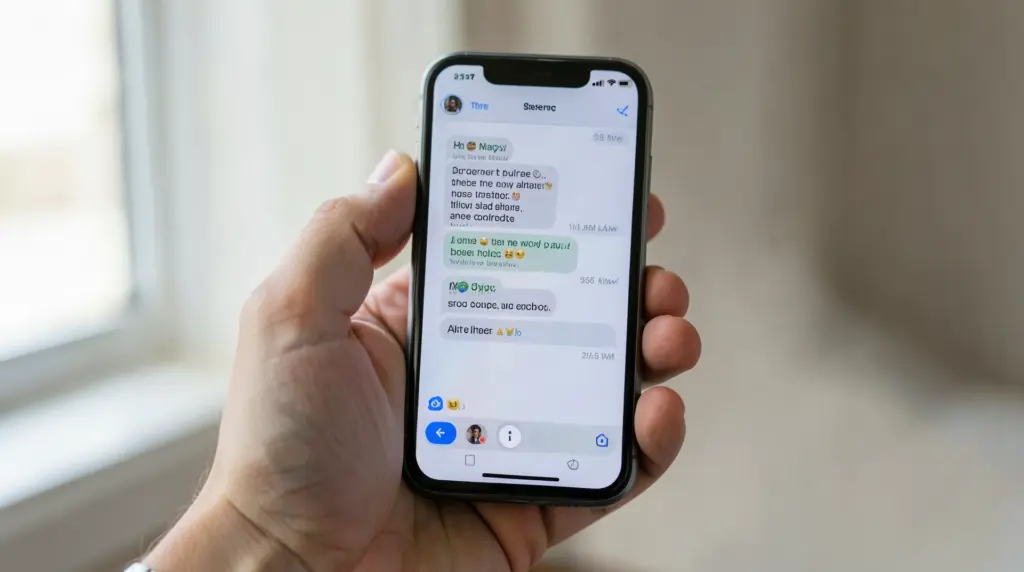
Messenger shows a small icon in the bottom-right corner of every message you send. Three states, three icons — each one tells you something specific.
Sent (empty circle with a checkmark)
A hollow circle with a white checkmark inside it. This means your message left your phone and landed on Facebook’s servers. That’s it. The other person hasn’t necessarily received it on their device yet.
Think of it like dropping a letter at the post office. The post office has it. Whether it’s been delivered to the house is a different question.
Delivered (filled blue circle with a white checkmark)
The circle fills in solid blue. Now the message has actually reached the recipient’s device — their phone or computer downloaded it from Facebook’s servers. This happens even if they haven’t opened Messenger yet.
Important: “Delivered” does not mean they read it. It means the device has it. They might be asleep, their phone might be face-down, or they might be deliberately ignoring the notification banner.
Seen (their profile photo thumbnail)
The icon switches from the blue circle to a small circular version of their profile photo. This means they opened the conversation and your message was on screen. Messenger calls this a read receipt.
If you see their photo, they saw the message. Full stop. Whether they’re going to reply is a separate matter — and that’s social, not technical.
Stuck on “Sent”? Here’s What’s Actually Happening
This is the one that makes people anxious, so let’s be direct.
Your message shows the hollow-circle Sent icon. It stays there. An hour passes. More. You’re wondering if something is wrong with you, with them, with the app.
The most common reasons a message stays “Sent” without moving to “Delivered”:
- They’re offline. No Wi-Fi, no mobile data. Messenger can’t push the message to their device until they reconnect.
- Do Not Disturb / Focus mode is on. On iPhone especially, DND can block app syncing in some configurations. The device might not pull new messages until it comes back online properly.
- They deleted the app or haven’t opened it in a long time. Messenger sometimes stops pushing in the background.
- Facebook server lag. Rare, but it happens. Usually clears within minutes.
- They blocked you. This is the one people fear — but it’s actually the least common cause of a stuck “Sent.” More on this below.
On my own tests in June 2026: I messaged a contact who had airplane mode on. The message sat on “Sent” for 47 minutes. The moment they reconnected to Wi-Fi, it flipped to “Delivered” instantly. No block, no drama.
Delivered but Not Seen — What This Means
The blue circle is there. You know they have the message. But their profile photo hasn’t appeared. This is genuinely the most common scenario, and it has a simple explanation.
They got the notification. They may have even read the preview in the notification banner — without opening the actual conversation. Messenger only marks a message as “Seen” when someone opens the chat thread. Glancing at a banner preview doesn’t trigger the read receipt.
Other reasons:
- They’re busy and haven’t opened the app.
- They saw the notification, decided to reply later, and forgot.
- Notifications are off and they simply haven’t opened Messenger.
Nothing is broken. The message is sitting on their device, waiting.
Seen but No Reply — Is This Technical?
No. Nothing technical is happening here. If the icon shows their profile photo, Messenger did its job. They opened the conversation, your message was on screen, and they chose not to reply yet (or at all).
This is a social situation, not an app issue. There’s no setting to investigate, no bug to blame.
Am I Blocked? How to Tell the Difference
Let’s address this directly because it’s the thing 80% of people searching for this actually want to know.
Being blocked in Messenger does NOT immediately look like you’d expect. When someone blocks you, your message still goes through to Facebook’s servers — so it shows “Sent.” It will stay on “Sent” indefinitely. It will never move to “Delivered.” That part looks identical to the person simply being offline.
So how do you tell the difference?
Signs you may be blocked
- The message has been “Sent” for days, and you know they’ve been active (you can see them in a mutual group chat or they posted publicly).
- You can’t see their Messenger profile. If you try to open their profile from a conversation and get a generic “This content isn’t available” message, that’s a stronger signal.
- You can’t find them in Facebook search. A full block hides their profile from your search results.
- The Active status is gone. Blocked users can’t see each other’s “Active now” or last-active timestamps.
Signs you’re probably NOT blocked — just dealing with offline/ignore
- You can still see their Facebook profile normally.
- The message moves to “Delivered” eventually (even after hours).
- You’re still connected in Messenger — you can see their name, photo, and the chat history loads.
The honest truth: most of the time, “Sent” stuck for a few hours is offline, not a block. If it’s been days and their profile has become inaccessible, that’s when you should consider the block possibility.
Messenger App vs Facebook.com — Any Difference?
The status icons work the same across both surfaces. Whether you’re sending from the Messenger mobile app or from Facebook.com’s chat panel in a browser, “Sent / Delivered / Seen” behaves identically on the sender’s side.
One practical difference: on desktop Facebook, the chat panel is small and the status icon sits at the bottom of the message bubble. On mobile Messenger, it’s more visible. If you’re checking from desktop and missing the icon, scroll down in the chat — it’s right below your last message.
Instagram DMs: similar but slightly different
Instagram DMs use a similar system — “Sent” (paper plane), “Delivered” (ring), “Seen” (profile photo). The main difference is that Instagram also shows “Read” for group chats, and the timing of read receipts can vary if someone uses Vanish Mode. The concepts are parallel, but the icon shapes are different enough that they don’t transfer visually.
Quick Reference: Scenarios and What They Mean
| What you see | What it means | What to do |
|---|---|---|
| Sent (hollow circle) for 10–60 min | They’re likely offline or on DND | Wait. It’ll flip to Delivered when they reconnect. |
| Sent for multiple days | Offline a long time, or possibly blocked | Check if their profile is still visible to you. |
| Delivered, not Seen | Device has it; they haven’t opened the chat | Nothing is wrong. They’ll see it when they open Messenger. |
| Seen, no reply | They read it. This is social, not technical. | Nothing to troubleshoot here. |
| Profile photo visible + Seen quickly | They’re active and saw it | Confirmed working. Reply is their call. |
Can You Turn Off Read Receipts?
On Messenger, no — not for regular DMs. Unlike iMessage or WhatsApp, Facebook Messenger doesn’t give you a toggle to disable read receipts in standard one-on-one conversations.
The exception is Vanish Mode. When both parties have Vanish Mode on, messages disappear after being seen and read receipts behave differently. But standard chats don’t have a read-receipt off switch in 2026.
Some third-party browser extensions claim to suppress read receipts on the desktop version of Messenger. These aren’t officially supported and break periodically when Facebook updates its code. Use them at your own risk.
Frequently Asked Questions
Can they see I sent a message if they blocked me?
No. If someone has blocked you on Messenger, they do not receive your messages and have no notification that you sent one. From your side, the message stays on “Sent” indefinitely. Their device never gets it. So while you can still send messages into the void, the other person sees nothing.
Why does it say Sent and not Delivered to someone I message all the time?
Even regular contacts can show “Sent” for hours if they’re offline, on airplane mode, or have poor connectivity. This is not unusual and not a sign of anything wrong between you. The message will move to “Delivered” the moment their device connects to the internet and syncs with Facebook’s servers.
Does “Delivered” mean they read my message?
No. “Delivered” means the message arrived on their device. It does not mean they opened Messenger or looked at your message. Only the “Seen” state (their profile photo appearing next to the message) confirms they opened the conversation.
My message went from Delivered back to Sent — is that possible?
This occasionally happens due to app sync glitches or Facebook server hiccups. It’s a display bug on your end, not a real status reversal. The message doesn’t un-deliver itself. If it persists, force-close the app and reopen it — the status should stabilize.
I can see their profile and they post on Facebook, but my message is still “Sent.” Does that mean I’m blocked on Messenger specifically?
Facebook and Messenger have separate block systems. Someone can block you specifically in Messenger (so messages don’t go through) while leaving their Facebook profile visible to you. If their profile is accessible but your messages stay perpetually “Sent,” a Messenger-only block is possible. The clearest test: try starting a new conversation from their profile. If Messenger won’t let you send or shows an error, that confirms a Messenger block.
—
Thank you for reading!